> ## Documentation Index
> Fetch the complete documentation index at: https://docs.flintai.dev/llms.txt
> Use this file to discover all available pages before exploring further.
# Scan your agent
> Prove your agents are production ready in less than 10 minutes
AI-powered analysis finds misconfigurations, risky tool access, missing guardrails, and other issues. Automatically triages false positives so you see real problems, not noise.
Install our MCP server in Claude Code or your AI code assistant, then ask: **"Help me set up Flint AI Scan"** to get live guidance, troubleshoot issues, and work through these steps together. [Learn how →](/flintai/cli/resources/use-these-docs)
## Scan your Python agent code
Check that Flint AI CLI and OpenGrep are installed:
```bash theme={null}
flintai --version
opengrep --version
```
```bash theme={null}
# Linux / macOS
curl -fsSL https://raw.githubusercontent.com/opengrep/opengrep/main/install.sh | bash
# Windows PowerShell
irm https://raw.githubusercontent.com/opengrep/opengrep/main/install.ps1 | iex
```
See [OpenGrep installation](https://github.com/opengrep/opengrep#installation) for more options.
Using a virtual environment is recommended to avoid dependency conflicts:
```bash theme={null}
python3.13 -m venv .venv
source .venv/bin/activate
```
Install Flint AI CLI:
```bash theme={null}
pip install flintai-cli
flintai init
```
[Full installation guide →](/#try-it-now)
Point to your agent directory and launch the scan:
```bash theme={null}
flintai scan /path/to/your_agent
```
Flint AI Scan only analyzes Python files with supported framework imports. [See supported frameworks →](/flintai/cli/resources/faq#which-frameworks-does-flint-ai-cli-support)
Results are saved to `scan_.json`. See [Scan results](/flintai/cli/scan/scan-results) for details on understanding findings and severity scores.
**Integrate with CI/CD.** Save scan results as build artifacts to prove validation before deployment. [See CI/CD integration guide →](/flintai/cli/guides/ci-cd-integration)
### Clean scan
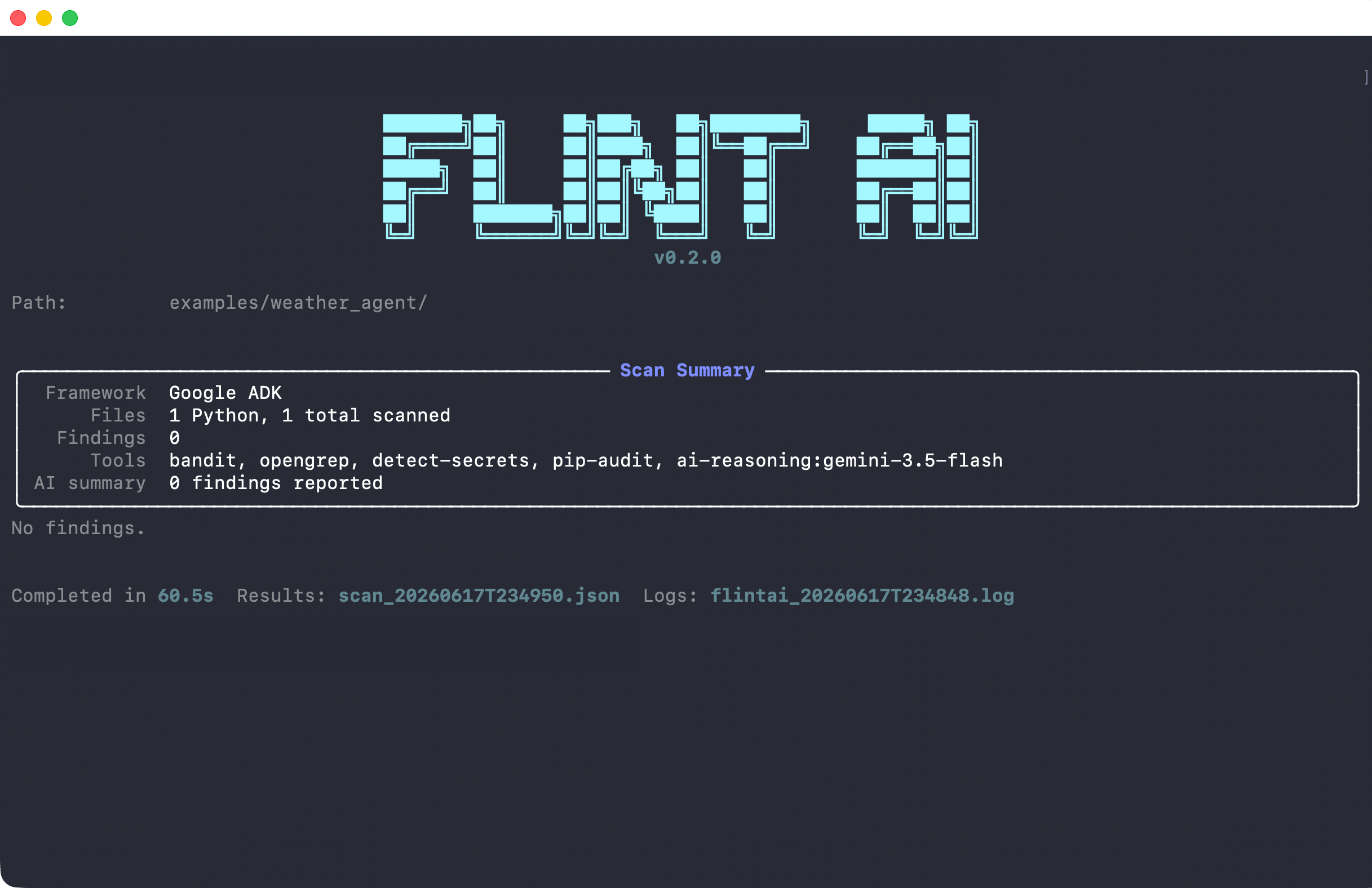 The scan detected an OpenAI Agents SDK agent, analyzed 1 Python file, and found no security issues. Tools ran in sequence: static analyzers (bandit, opengrep, detect-secrets, pip-audit) followed by AI reasoning to validate results.
### Scan with findings
The scan detected an OpenAI Agents SDK agent, analyzed 1 Python file, and found no security issues. Tools ran in sequence: static analyzers (bandit, opengrep, detect-secrets, pip-audit) followed by AI reasoning to validate results.
### Scan with findings
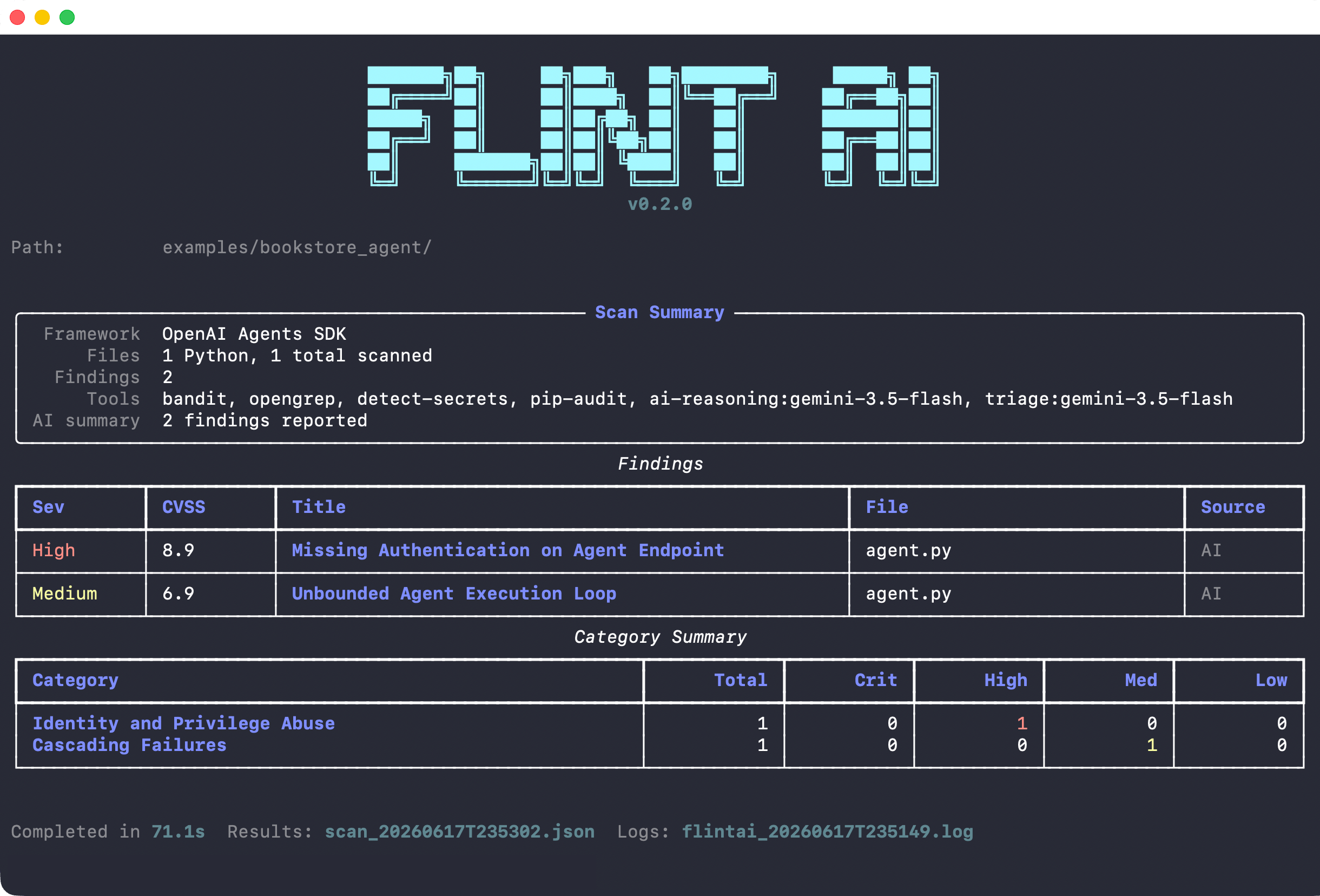 The scan detected an OpenAI Agents SDK agent and found 2 security issues:
* **High severity (CVSS 9.0)**: Missing authentication on agent endpoint
* **Medium severity (CVSS 6.9)**: Unbounded agent execution loop
After static analysis, the AI reasoning layer identified these issues, and triage confirmed them as real findings.
## Next steps
Understand severity scores and what needs fixing before deployment
Learn how AI reasoning finds real issues and filters noise
Get a 0.0-1.0 reliability score for runtime behavior
The scan detected an OpenAI Agents SDK agent and found 2 security issues:
* **High severity (CVSS 9.0)**: Missing authentication on agent endpoint
* **Medium severity (CVSS 6.9)**: Unbounded agent execution loop
After static analysis, the AI reasoning layer identified these issues, and triage confirmed them as real findings.
## Next steps
Understand severity scores and what needs fixing before deployment
Learn how AI reasoning finds real issues and filters noise
Get a 0.0-1.0 reliability score for runtime behavior