

Flint AI on GitHub
Source code, example agents, and issue tracking
Scan your Python agent code
1
Verify requirements
Check that Flint AI CLI and OpenGrep are installed:
See OpenGrep installation for more options.
Install OpenGrep
Install OpenGrep
Install Flint AI CLI
Install Flint AI CLI
Using a virtual environment is recommended to avoid dependency conflicts:Install Flint AI CLI:Full installation guide →
Bring your own LLM key. Flint AI Scan uses AI reasoning to validate findings, so it needs an API key for your own LLM provider (Gemini, OpenAI, Anthropic, or LiteLLM). This is your provider key for the local CLI, not a Flint AI Platform API token.
flintai init prompts for it and stores it locally in ~/.flintai/.env.Where to get an LLM provider key
Where to get an LLM provider key
- Google Gemini: aistudio.google.com/apikey (free tier available)
- OpenAI: platform.openai.com/api-keys
- Anthropic: console.anthropic.com/settings/keys
2
Scan your agent
Point to your agent directory and launch the scan:
Results are saved to
Try it with a shipped example agent
Try it with a shipped example agent
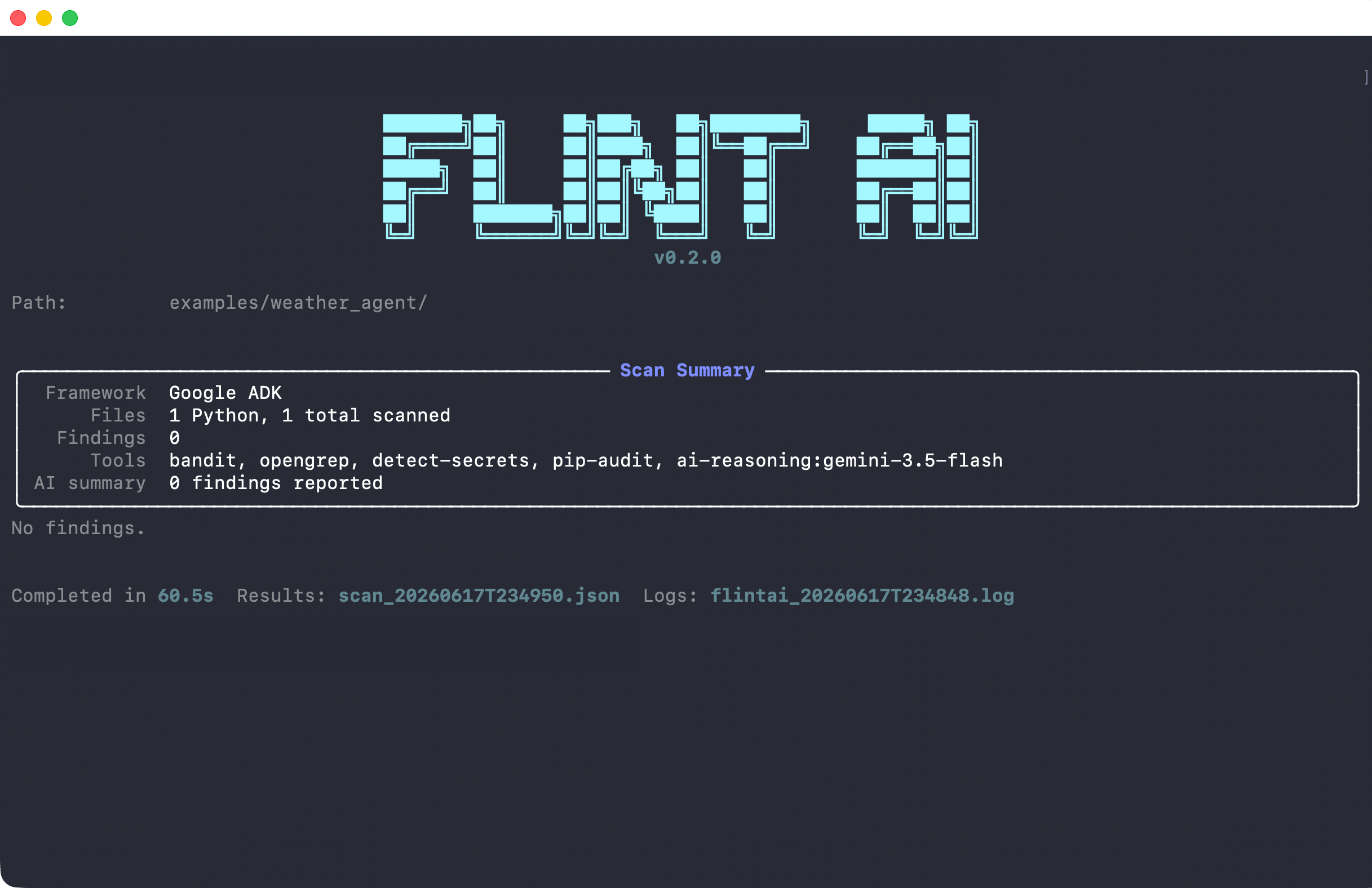
No agent of your own yet? Clone flintai-cli and scan a bundled example from the repo root:The repo ships two examples:
bookstore_agent (OpenAI Agents SDK) and weather_agent (Google ADK).Flint AI Scan only analyzes Python files with supported framework imports. See supported frameworks →
scan_<timestamp>.json, or scan_<timestamp>.sarif if you pass --format sarif. See Scan results for details on understanding findings and severity scores.Clean scan
Scan with findings
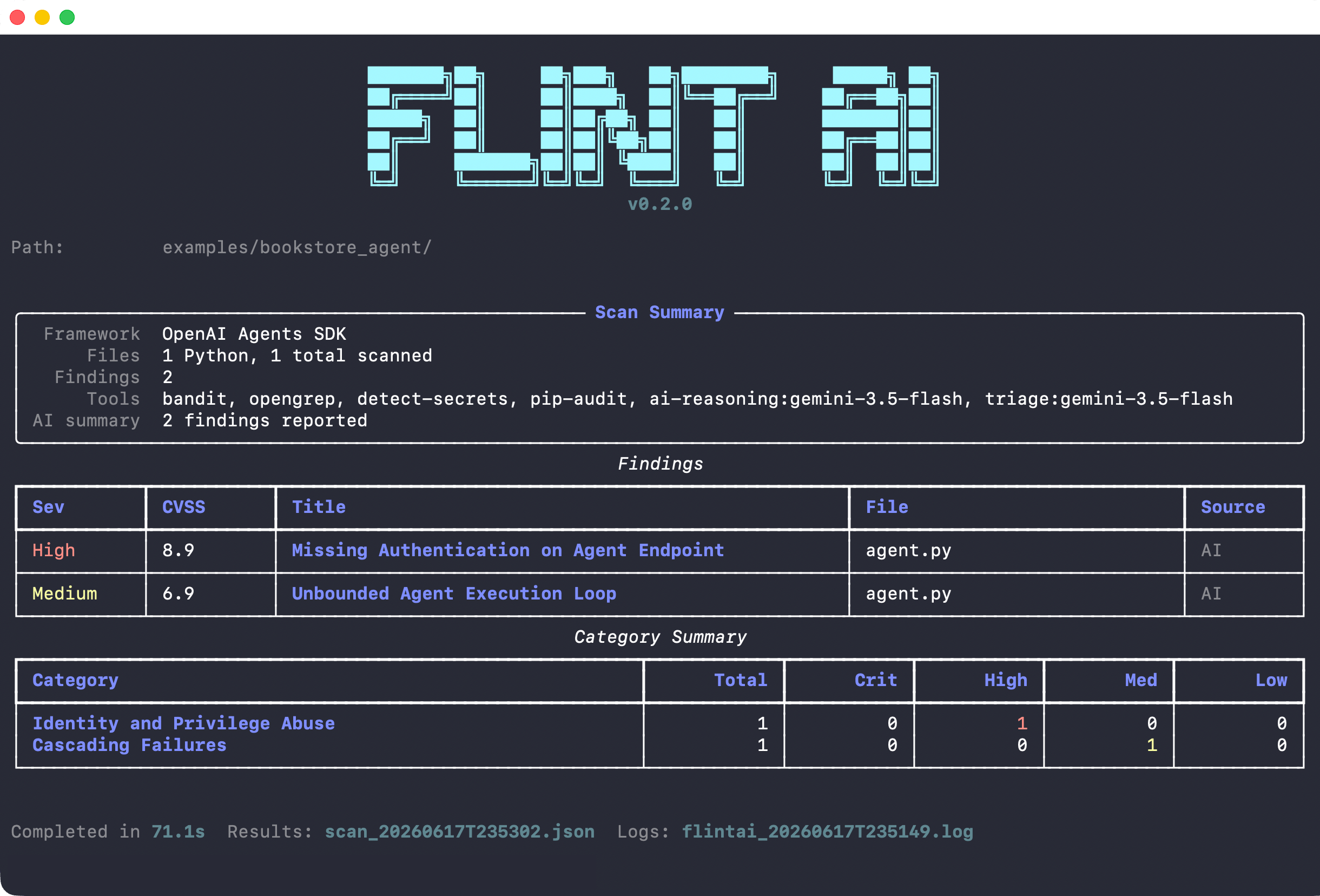
- High severity (CVSS 9.0): Missing authentication on agent endpoint
- Medium severity (CVSS 6.9): Unbounded agent execution loop
Next steps
Issues found?
Understand severity scores and what needs fixing before deployment
How scanning works
Learn how AI reasoning finds real issues and filters noise
Eval agent behavior
Get a 0.0-1.0 reliability score for runtime behavior